


Baby Story: Pregnancy Pictures
4.327.00 Reviews
App Specs
- Version
- 2.2.2
- Updated On
- License
- Free
- Downloads
- 100,000+
- Developer
- PIXO Inc
- Categories
- Parenting
- Platform
- Android
Screenshots
 Analysis by AppCompare
When I try a photo editor for pregnancy memories, I want it to make a small creative task easier, not turn it into another project to manage. Baby Story: Pregnancy Pictures is a parenting app from PIXO Inc built around decorating pregnancy photos and marking moments along the way. I’d reach for it when I have a picture I like and want to add a personal touch before sharing it or keeping it as part of a growing collection.
Where the creative process can get stuck
The appeal is clear, but even a friendly editor can slow you down if you open it without knowing what you want from a photo. A sticker, a caption, and a filter can each add something; together, they can also crowd the picture. I get the best result by deciding first whether the image is meant to record a milestone, announce news, or simply preserve an ordinary day. That choice gives the decorations a purpose instead of making the photo feel like a template.
Another practical snag is consistency. If I make each image in a different style, a collection of weekly or monthly pictures may look less like a story and more like unrelated edits. I’d pick a simple visual habit—similar framing, a recurring caption style, or a restrained set of colors—and reuse it. The point is not to make every image identical; it is to make the progression easy to notice when I look back.
Small setup checks that save time
Before editing, I’d choose a clear original photo and keep it unchanged in my camera library. That gives me a fallback if I decide the decorations are too busy or want to try another look later. For a bump update, a steady angle and similar lighting can matter more to the sense of progress than an elaborate effect. A simple repeatable spot at home can make the pictures easier to compare without requiring special equipment.
It also helps to think about the destination before adding text. A caption that feels meaningful in a private keepsake may be too personal for a public post, while tiny lettering can be difficult to read on a phone screen. I’d keep text short, check the finished image at normal viewing size, and make sure it does not cover the subject. These are modest checks, but they prevent the common frustration of finishing an edit and then realizing it does not suit the way I want to use it.
The app is free to download, with in-app purchases listed from $6.99 to $39.99 per item, so I would explore the available options before building a routine around any particular decorative element. Its Everyone age rating makes the audience broad, but pregnancy photos can still be personal. I’d decide for myself which images to keep private and which, if any, to share.
Capturing the Magic of Pregnancy
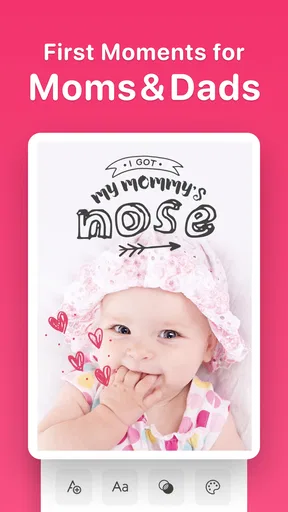
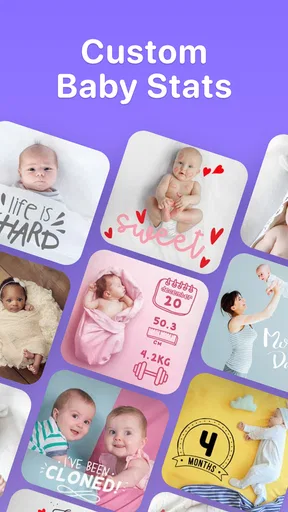
Let’s dive right into what makes Baby Story: Pregnancy Pictures stand out. As someone who loves snapping photos and adding a personal touch, this app offers a delightful experience. The main feature here is the ability to create beautiful and memorable pregnancy photos by adding cute and stylish artwork, text, and filters. You know those dreamy pregnancy announcements you see all over social media? This app makes it super easy to craft your own!
Worth Reading Before You Choose

EA SPORTS FC Mobile 26 Is a Bigger Football Game, but It Takes Time

Flipboard Shows What News Apps Must Do Beyond the Feed

Switching to Android Auto Means Rethinking Your Driving Routine

Google Calendar Makes a Crowded Week Easier to Manage

Ludo King Makes the Most of the Minutes Between Plans

Baby Panda World Brings Quick Play to Modern Phones, but Its Game Library Feels Busy
User-Friendly Interface
First things first, the app’s interface is straightforward and easy to navigate. Even if you’re not particularly tech-savvy, you’ll find yourself breezing through the features in no time. There’s no need to fumble around trying to figure out what does what. It’s all laid out in a clean, intuitive manner. Just tap, swipe, and you’re good to go!
For me, the easiest way to use a straightforward editor is to work in short passes: choose the photo, add only the artwork that supports the moment, then place text and review the result before moving on. That is especially useful when I am tired or short on time. Rather than trying to perfect an image in one sitting, I can keep the edit focused and stop when it feels personal, not overworked.
Creative Tools at Your Fingertips
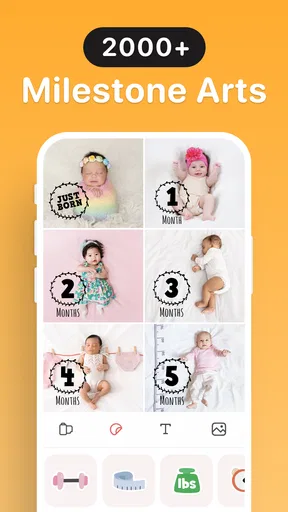
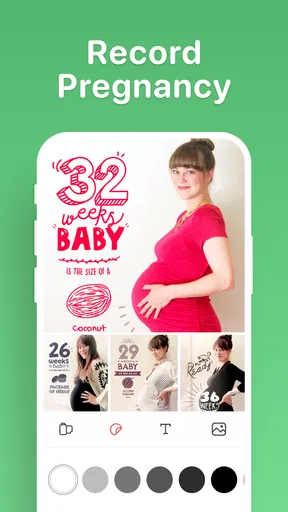
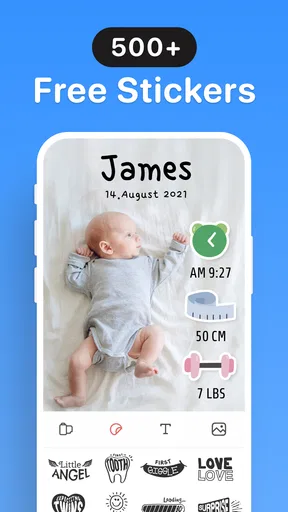
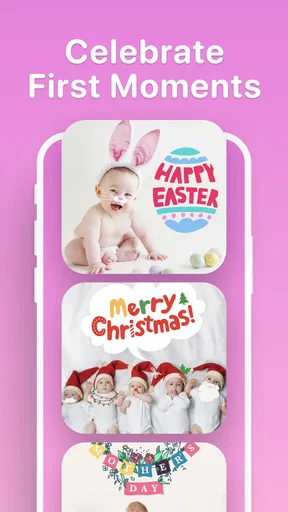
What really caught my eye are the extensive customization options. You can choose from a wide array of stickers and artworks designed specifically for different stages of pregnancy. Whether it’s a milestone like the first kick or a simple bump update, there’s something for every occasion. Plus, the text feature allows you to add personal messages or quotes, making each photo truly unique to your journey.
A useful trade-off is that themed artwork makes it quicker to signal what a photo means, but it can also make a keepsake feel less like your own if the decoration takes over. I’d treat the artwork as a frame for the memory rather than the memory itself. One short note in my own words can often say more than several labels, especially for a moment whose meaning is specific to my family.
Beautiful Filters and Effects
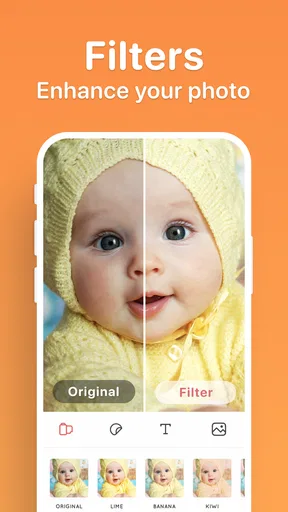
No photo app is complete without some awesome filters, right? Baby Story doesn’t disappoint in this department. It offers a variety of filters that enhance your photos with just a single tap. From soft pastels to vibrant hues, there’s a filter to match every mood and style. You can also adjust the intensity of these effects to find the perfect look for your pictures.
I would keep an unfiltered version as the reference point and compare the edited image against it before settling on an effect. A filter that looks lovely on one indoor photo may not suit the next picture taken in daylight, so using the same intensity automatically is not always the best way to make a series feel coherent. A light touch usually keeps skin tones and the original atmosphere recognizable.
For a realistic everyday routine, imagine taking a quick bump photo before heading out, then choosing an artwork that marks the month and adding a brief note later when there is more time. I would save the finished image alongside the original and use a consistent naming or album habit in my photo library, so I can find the sequence without relying on memory. That small bit of organization is useful because the app’s editing role and the job of keeping a long-term photo archive are not quite the same thing.
Sharing Made Easy
Now, what’s the point of creating these beautiful pictures if you can’t share them with the world? Thankfully, Baby Story: Pregnancy Pictures makes it a breeze to share your creations. With just a click, you can post your photos directly to your favorite social media platforms or send them to friends and family. It’s a great way to keep everyone updated on your pregnancy journey.
Sharing is convenient when I want to send an update quickly, but convenience does not have to mean posting every milestone publicly. I’d make the image first, then choose whether it belongs in a family message, a private album, or a social post. That pause also gives me a chance to check that the caption and any visible details are ones I am comfortable sharing. If sharing does not work as expected, I’d first check that the edited image is available on the device and try the normal share route again; a temporary issue in another app may be separate from the photo edit itself.
When a hiccup may be elsewhere
If an image does not appear where I expect, I would avoid repeating the edit immediately. First, I’d look in the phone’s usual photo locations and confirm I am checking the same place where I normally find saved images. If the issue is with sending rather than editing, I’d test whether other sharing options work. That simple distinction helps narrow down whether I am dealing with the picture, the device’s photo organization, or the destination app.
For a general troubleshooting pass, I’d close and reopen the app, check that the phone has room for new photos, and make sure I am using a compatible device. Baby Story’s current version is 2.2.2, and the minimum operating system is 9. If a problem continues after basic checks, I’d avoid deleting anything until I know my original photos are safely stored elsewhere. This is practical caution rather than a special app feature: personal pictures are easier to recover when the originals remain untouched.
A Few Final Thoughts
Overall, I’ve had a blast using Baby Story: Pregnancy Pictures. It’s fun, easy to use, and packed with features that help you make the most out of your pregnancy photos. Whether you’re a first-time parent or adding another bundle of joy to your family, this app is a fantastic tool to have on hand. It not only enhances your photos but also turns them into cherished memories that you’ll treasure forever.
The app has an average rating of 4.3 from around 1.6 thousand ratings, and it has been installed over 100 thousand times. Those figures make it a familiar choice for many people, though they cannot tell me whether its particular editing style fits my taste. It was released on November 17, 2021, and the version available now is 2.2.2. I see it as a focused creative tool, not a replacement for a general photo editor, a printed album, or a separate system for tracking family records.
Compared with editing in a standard photo app, Baby Story’s pregnancy-oriented artwork can make a milestone image quicker to put together and more obviously themed. A general editor may be the better fit if I want precise adjustments or a clean, unembellished look; a printed album may suit someone who prefers a physical keepsake over edited images. And if I mainly want to record dates and notes rather than decorate photos, a simple journal or calendar may be more direct. The best choice depends on whether the creative layer is something I will actually enjoy using.
I’d recommend it most to an expecting parent who likes taking photos, wants a low-effort way to personalize selected moments, and is happy to make their own choices about what to share. I’d skip it if I prefer natural photos with no stickers or captions, need a broad editing toolkit, or do not want to consider optional purchases while exploring creative choices. Since the download is free but individual in-app purchases range from $6.99 to $39.99, I’d check what is available to me before committing to a particular look or workflow.
So, if you’re expecting and love capturing those special moments, I’d definitely recommend giving this app a try. It’s like having a mini studio right in your pocket! Go ahead, unleash your creativity, and make your pregnancy journey one for the books.
Who I’d choose it for
My strongest recommendation is for someone who wants a friendly, themed way to turn a few meaningful photos into shareable keepsakes, rather than an app they need to open every day. It can also be a thoughtful option for a partner or relative helping create an announcement or monthly image, provided the expecting parent is comfortable with the photo and its destination. The app is rated for Everyone, but the choice to share pregnancy pictures is personal, so I would always let the person in the image decide what leaves the phone.
If you are comparing it with other parenting tools, the distinction is useful: this is centered on visual memories, not a broad pregnancy information or family-planning service. I would pair it with whatever system I already use for appointments, notes, or backups instead of expecting one photo editor to do all of those jobs. That division keeps the creative task enjoyable and makes important records easier to find later.
My practical verdict is that Baby Story: Pregnancy Pictures is worth trying if themed photo-making sounds enjoyable and you value quick personalization more than deep editing control. Keep the original image, use decorations with intention, and decide separately whether a finished picture is for you or for an audience. With those habits, the app can help give a few fleeting moments a distinct visual form without making every photograph feel like a production.
Pros
- Easy to use with intuitive interface.
- Offers a wide range of adorable stickers.
- Includes milestone tracking for pregnancy.
- Customizable text options for photos.
- High-quality photo export available.
Cons
- Limited free features without purchase.
- Occasional ads can disrupt editing.
- Some stickers are locked behind paywall.
- Requires internet for certain features.
- App size may be large for some devices.
FAQs for Baby Story: Pregnancy Pictures
What is Baby Story: Pregnancy Pictures and how does it work?
Baby Story: Pregnancy Pictures is a creative app designed for expectant parents to capture and personalize their pregnancy journey with photos. Users can add text, stickers, and artwork to their images, creating beautiful memories. The app offers a range of templates and editing tools to make your photos stand out.
Is Baby Story: Pregnancy Pictures free to download and use?
Baby Story: Pregnancy Pictures is free to download on both Android and iOS platforms. While the app offers a variety of free features, there are optional in-app purchases and a premium version available. The premium version unlocks additional templates, stickers, and tools, enhancing your photo editing experience.
What are the main features of Baby Story: Pregnancy Pictures?
The app includes a variety of features such as customizable templates, a wide range of stickers and artwork, text editing options, and the ability to create timeline stories. It also offers weekly updates with new content, ensuring users always have fresh materials to work with for capturing their pregnancy journey.
Can Baby Story: Pregnancy Pictures be used for editing photos after the baby is born?
Yes, Baby Story: Pregnancy Pictures is versatile enough to be used beyond pregnancy. It allows parents to continue documenting their baby's growth with personalized photos. The app's features are suitable for any stage of parenthood, making it a great tool for capturing ongoing family memories.
Is Baby Story: Pregnancy Pictures easy to use for beginners?
The app is designed with a user-friendly interface, making it accessible for beginners. It provides easy navigation and simple editing tools that require no prior experience. With intuitive controls and helpful tutorials, users can quickly learn to enhance their photos with minimal effort.


